

Upflow → Blog → AR collections
Cash Application: From Manual Chaos to Scalable Automation
Côme Chevallier
|
October 30, 2025
Generate AI summary


Manual cash application quietly consumes time from a finance team’s day. For fast-growing SaaS companies, that means valuable finance resources are trapped in a cycle of bank statement hunting and invoice matching instead of supporting your growth. On average, $3-500m SaaS companies are spending 2-3 hours a day on this process, which translates to 10-15 hours a week, 40-60 hours a month, and 480-720 hours a year.
This means every year in the US alone, businesses are wasting between $22,000 and $33,000 just on the time to carry out this one manual process, and that’s not even considering the impact of either not applying the cash or applying it wrong.
The good news? Understanding the process and implementing best practices can dramatically improve efficiency.
What Exactly Is Cash Application? (And Why It Matters)
Cash application is the process of matching incoming payments to their corresponding invoices in your accounting system.
Think of it as a critical checkpoint in your accounts receivable process and your broader order-to-cash (O2C) cycle. You’ve delivered the product or service, issued the invoice, followed up with the customer, and the payment has finally arrived. Cash application is where you confirm which invoices have been paid, turning “we sent an invoice” into “we’ve been paid”.
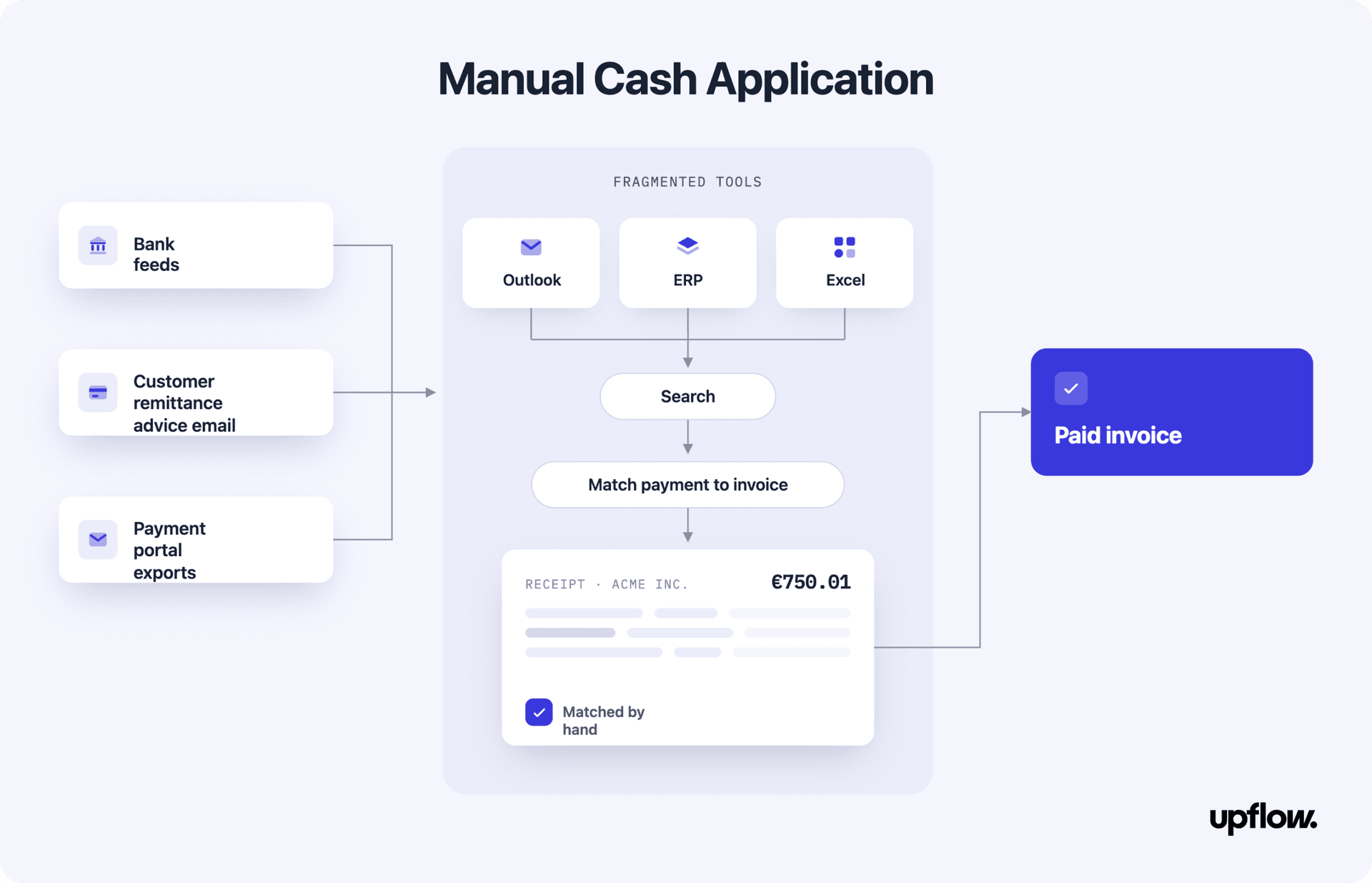
It sounds simple in theory, but in reality it often involves sorting through:
- Bank statements
- Remittance emails
- Spreadsheets
- ERP systems
…and manually reconciling them one by one.
Even a single day’s batch of payments can mean piecing together data from multiple sources, each with its own format and quirks. This manual assembly not only slows your team down, but also increases the risk of errors and missed matches.
The Cash Application Process: Step-by-Step
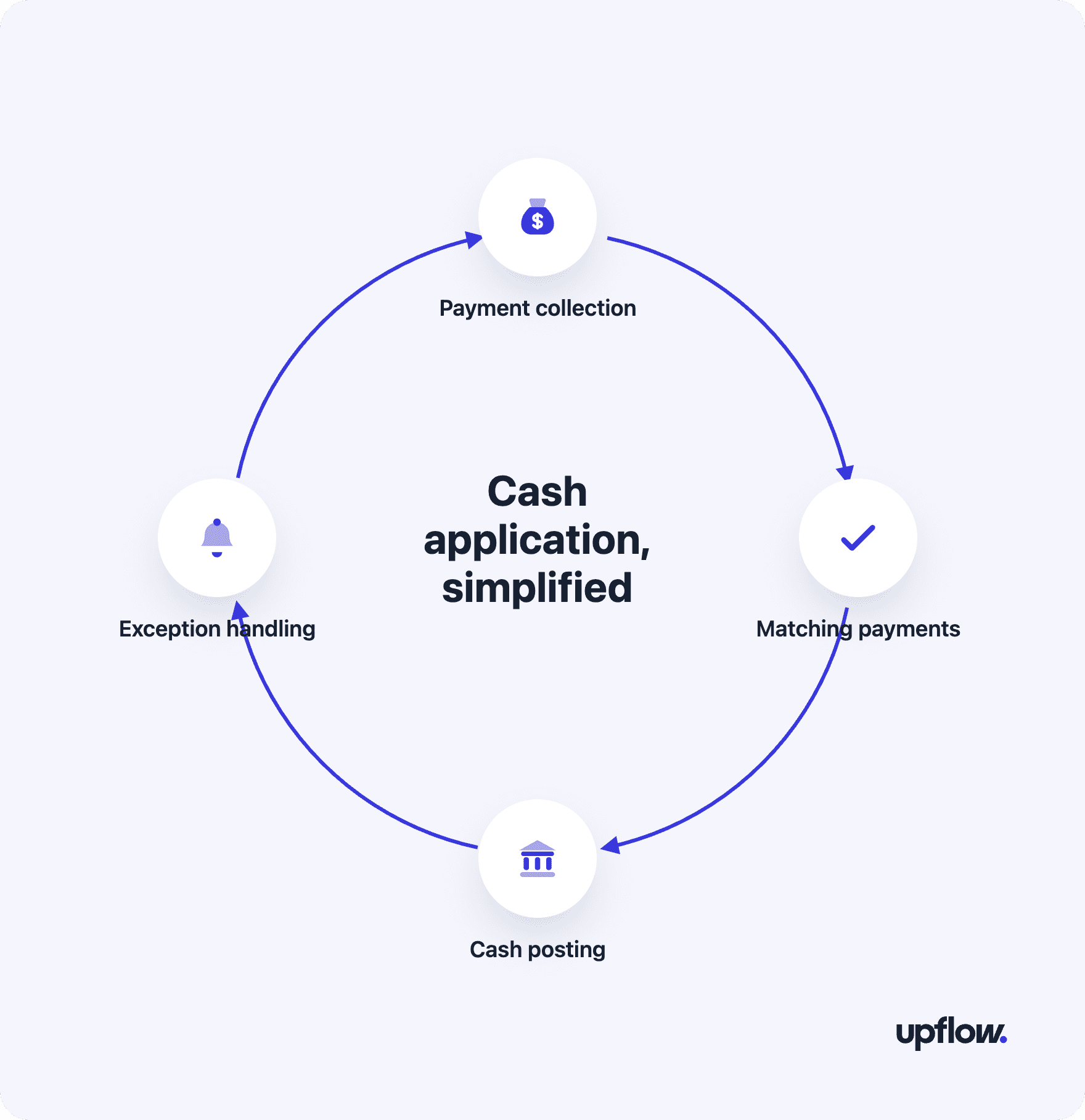
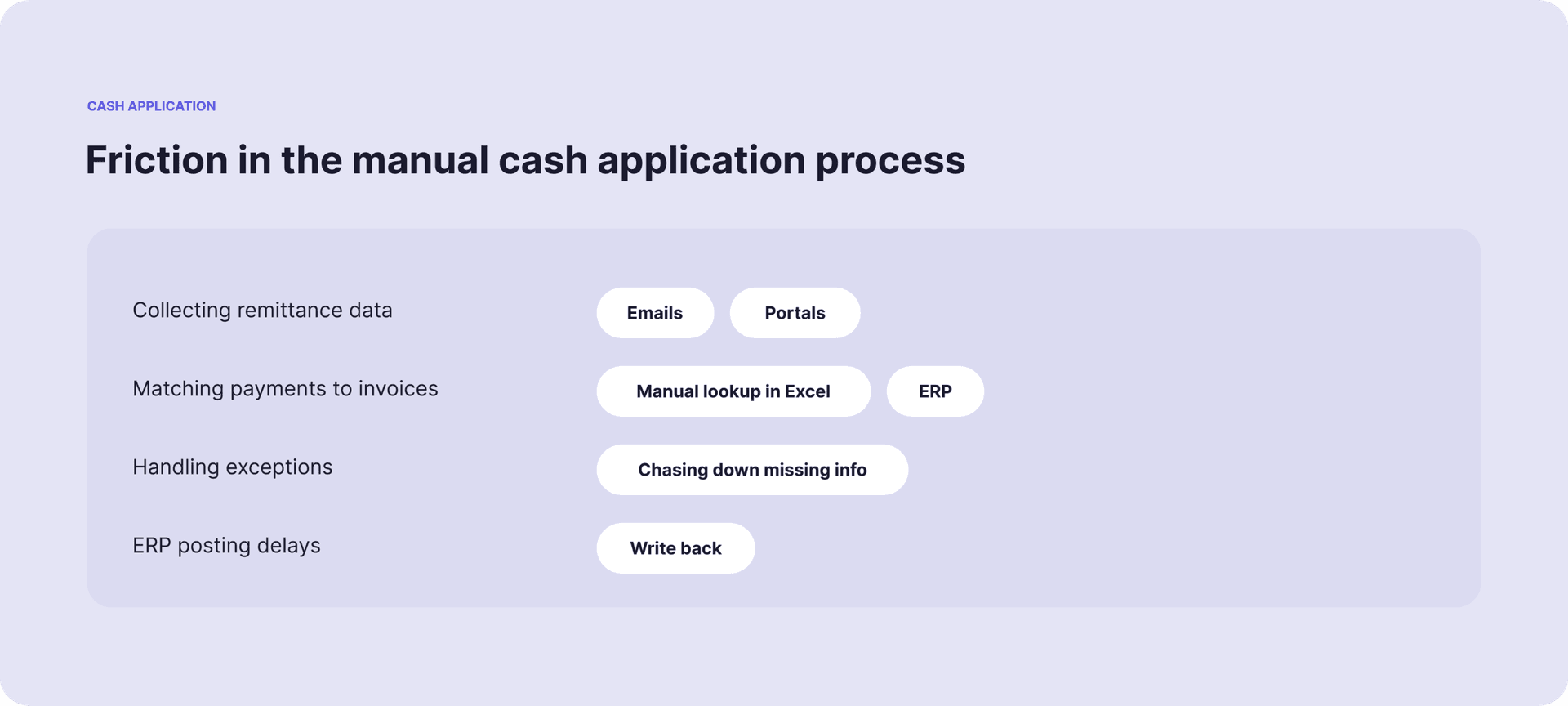
Payment & Remittance Collection: Your team gathers incoming payments from bank feeds and hunts down remittance information from emails, customer portals, or attached documents. This data rarely arrives in one convenient package.
Matching Payments to Invoices: Each payment gets matched to outstanding invoices using reference numbers, amounts, customer details, or invoice numbers. When customers pay multiple invoices at once or provide partial payments, this becomes a puzzle-solving exercise.
Cash Posting: Matched payments are posted to your accounting system, updating customer balances and marking invoices as paid. Any discrepancies need to be flagged and investigated.
- Exception Handling: Unmatched payments, short payments, or payments without clear remittance information get routed to team members for manual investigation and resolution.
Why Cash Application Is Still a Struggle
Here are the common challenges finance teams face:
Data is scattered across tools: Payments might come in via bank feeds, while remittance advice is buried in email threads or exported from customer portals. That data lives in silos and rarely plays nicely together.
It’s too manual: Teams are forced to search across spreadsheets, Gmail/Outlook, ERPs, and exports in an effort to find matching amounts, customer names, or invoice numbers.
There’s no real-time visibility: Even after you’ve manually matched payments, posting to the ERP is delayed. That means your books lag behind your bank balance and you lose clarity on where you stand.
- Small errors snowball: A single mismatched invoice or missing remittance note can cascade into more overdue balances, longer DSO, and awkward follow-ups with customers who already paid.
What Manual Cash Application Really Costs
| Category | Manual Process |
|---|---|
| Time Consumption | 2-3 hours per finance member, daily |
| Matching Accuracy | Relies on human judgement, prone to error |
| Exception Handling | Inconsistent, varies by team member |
| Reporting | Outdated or delayed |
| Growth Scalability | Requires headcount to keep pace |
| DSO Impact | Artificially inflated due to delays |
| Staff Focus | Repetitive matching tasks |
Best Practices For Efficient Cash Collection
You can take immediate steps to strengthen your cash application process, regardless of your current system setup. Start with small, structured changes:
- Centralize Remittance Data: Use a shared workspace for storing customer remittance emails and PDFs.
- Template Standardization: Create and distribute a remittance template to customers.
- Define SOPs: Build a flowchart or checklist for handling typical exceptions.
- Regular Audits: Review recent matches and posting times to uncover delay patterns.
- Track and Share Metrics: Start measuring DSO and exception rate weekly to create accountability.
Getting Started: Your 30-Day Roadmap
Week 1: Assessment & Discovery
- Calculate manual time/costs with Upflow’s free DSO calculator.
- Process audit and team impact analysis
Week 2: Explore Real-Time Visibility
- Trial Upflow’s Discover Plan (free forever) for immediate visibility
- Baseline current metrics and identify improvement opportunities
Week 3-4: Process Implementation & Optimization
- Standardize data collection and customer communication protocols
- Implement quality controls and exception handling workflows
Small Shifts, Big Wins
Cash Application isn’t glamorous, but it’s foundational. When done poorly, it creates delays, confusion, and rework. But when approached deliberately, it unlocks better cash flow visibility, customer clarity, and team bandwidth. You don’t need a massive overhaul to start improving – just begin with structure, discipline, and a few smart processes.
Want to take the first step? Book a call with our team to assess where your cash application process stands and how you can start optimizing it today.


Côme Chevallier
Director of Financial Services at Upflow
About the Author
Côme is the Director of Financial Services at Upflow, where he leads the development of cutting-edge solutions at the intersection of technology, finance, and customer experience. He plays a key role in shaping the vision and execution of Payments by Upflow, Upflow’s next-generation B2B payment platform.
At Upflow, Côme focuses on delivering frictionless, secure, and intuitive payment experiences that bring the best of B2C e-commerce to B2B transactions. From modern payment infrastructure to AR financing, his work helps finance teams streamline collections, enhance customer satisfaction, and unlock greater cash flow efficiency.
Known for his insights into fintech innovation, payment optimization, and regulatory navigation, Côme is a regular contributor to Upflow’s blog. He shares expert perspectives on how finance teams can use modern tools to enhance cash flow, improve customer experiences, and future-proof their payment operations.

FAQs
Can’t find what you’re looking for?
Ask AI
Cash application is the process of matching incoming payments to their corresponding invoices in your accounting system. It’s a critical step that confirms which invoices have been paid and keeps your books accurate.
Key metrics include average time to post a payment, exception rate, number of unmatched payments, and impact on DSO.
Delays in applying payments can artificially inflate DSO, since invoices may appear unpaid even if funds have been received.
Include remittance guidelines on your invoices and communicate preferred formats regularly. Offering a template can reduce inconsistency.
Yes, especially when resolving exceptions. They can help clarify payment intent or coordinate with customers for remittance info.
They require careful tracking and allocation logic, especially when there’s no clear indication of which invoice the customer intended to pay.
It becomes an exception case. These require manual investigation to identify the customer or intent of the payment, which can delay cash posting and distort reporting
Payment processing handles the actual collection of funds from customers, while cash application happens after the payment is received. Cash application focuses on matching those received payments to the correct invoices in your accounting system and updating customer balances accordingly.
Related articles